Recover your account
When neither a sign-in link nor a password reset reaches you, tell us what you know about your account. Our team checks every request by hand.
Updated October 17, 2026
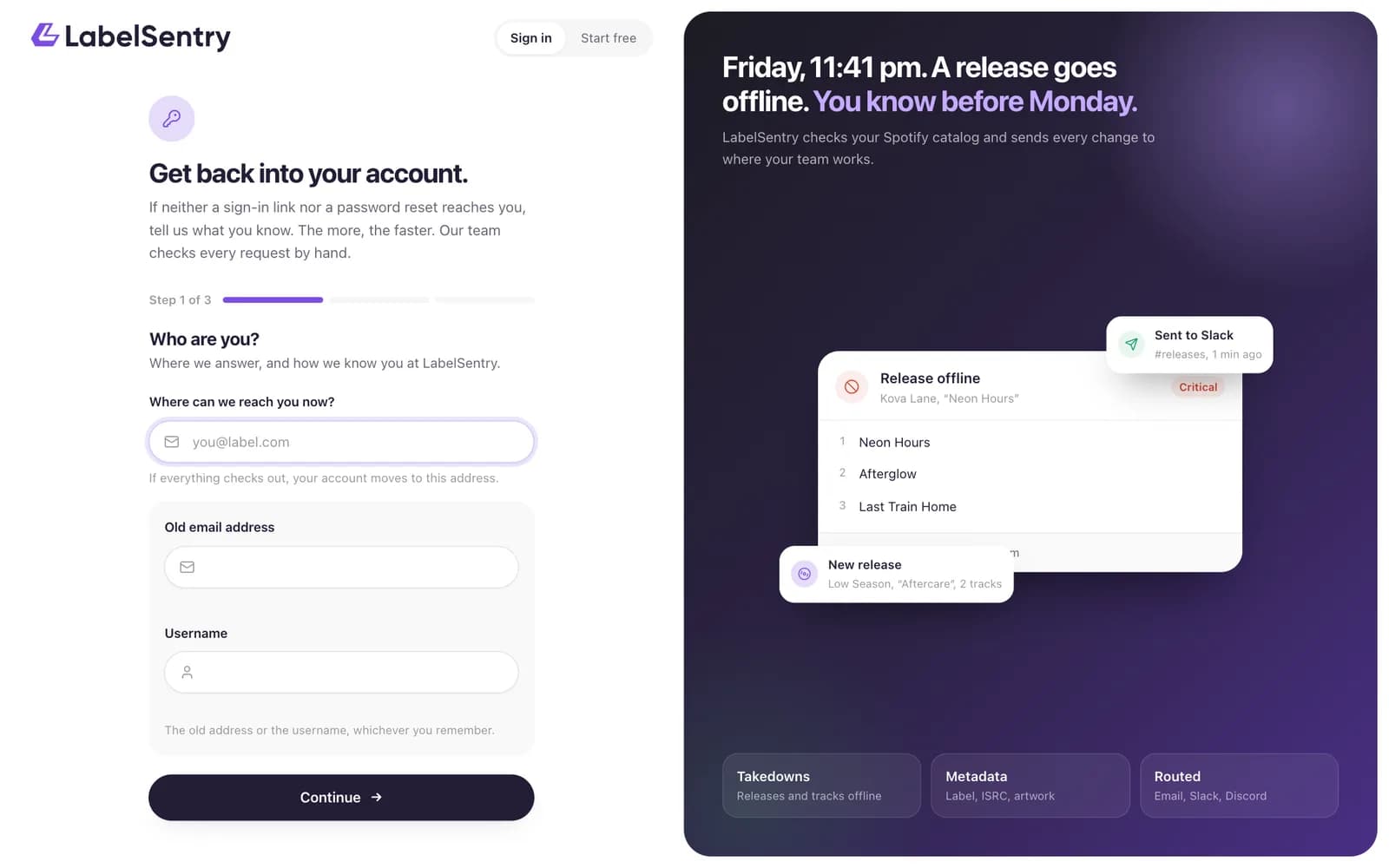
Use this when you cannot get in at all: your old email address no longer exists, or your phone and recovery codes for two-factor sign-in are gone.
How it works
- Open Recover your account. The link is on the sign-in page, under Forgot password? and in the footer.
- Who are you? Where we can reach you now, and your old email address or your username.
- What else do you know? Pick what you know: your artists, a recovery code, an invoice number, where your alerts go, someone on your team, an API key, when you joined. The more you tell us, the better the chance we can give you your account back.
- What happened? A sentence or two, then send.
- Confirm the request with the link we send to your new address.
What happens then
- We email the address on your account. If it was not you, the request can be stopped there with one click.
- Our team checks your answers against the account. For your safety, this takes at least a day, usually three.
- If we need more, you get an email with our question and a link to answer it.
- If everything checks out, your account moves to your new address, two-factor sign-in is reset, every session ends, and you get a sign-in link.
Good to know
- Your answers are saved in your browser while you fill in the form, for a day. Recovery codes and card digits are not saved.
- Only one request per account is open at a time.
- We never tell you which of your answers were right.
Read next
Sign inSign in with a link sent to your email, with your password, or with Google, GitHub or Discord. Two-factor sign-in is asked for after either.Two-factor sign-inProtect your account with a code from an authenticator app, and keep recovery codes for when the phone is gone.PasswordsA password is optional. Set your first one, change it, or reset it when you forgot it.
Still stuck? Write to [email protected].