What LabelSentry does
LabelSentry watches your artists' Spotify profiles around the clock and tells you when something changes, from a release going offline to a new label on a track.
Updated October 17, 2026
LabelSentry watches the Spotify profiles of the artists you manage. Every few minutes it checks what is on each profile, compares it with what was there before, and tells you about every change that matters: a release that went offline, a track that moved to another profile, a label or ISRC that was edited, a new release nobody announced.
It is built for labels, managements, distributors and artists who want to know about a problem before their fans or their royalty statements tell them.
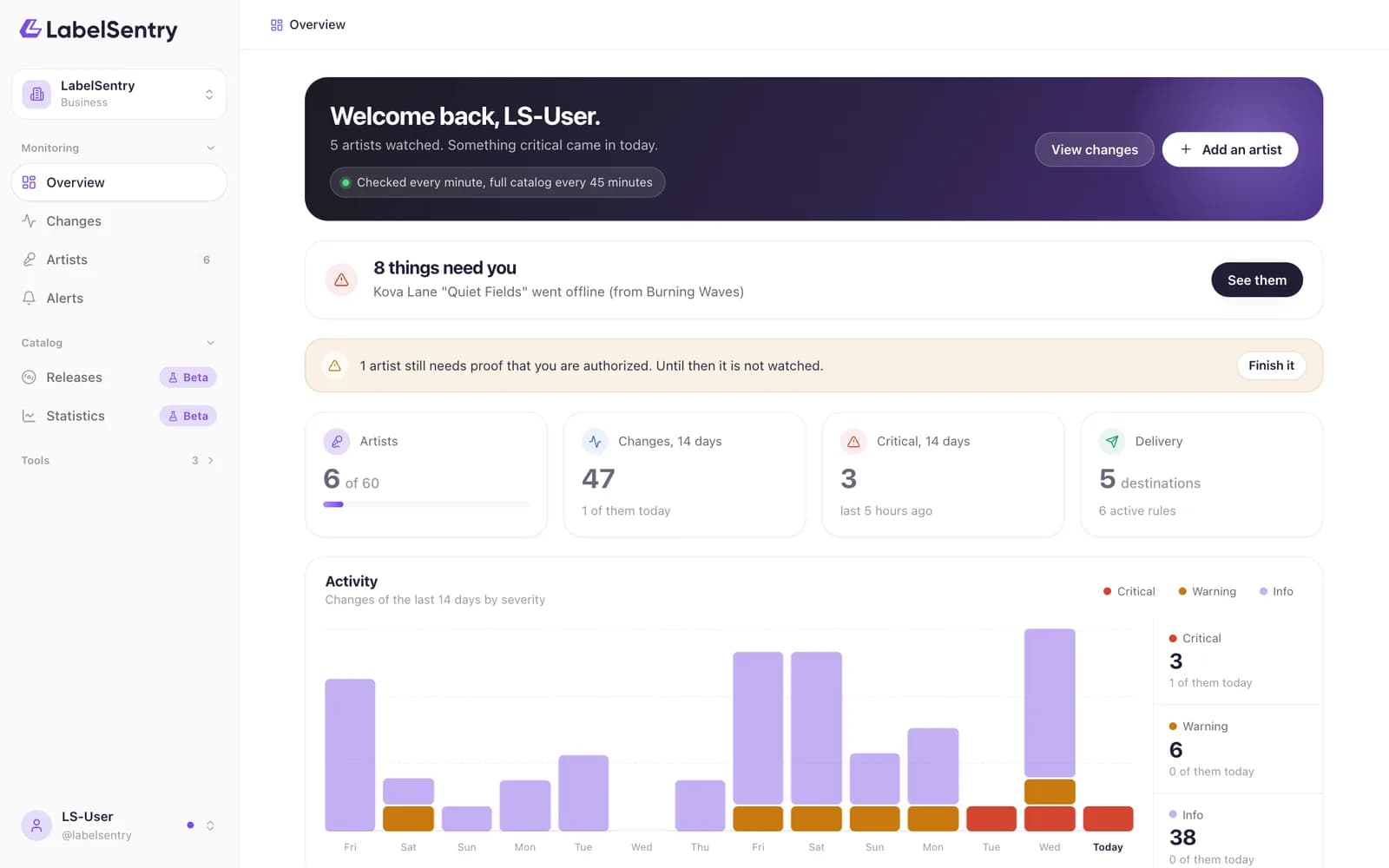
What you get
- Monitoring. Light checks every few minutes and a full pass over the whole catalog several times an hour, depending on your plan. See How monitoring works.
- Changes. Everything we find is listed with what it was before and what it is now, sorted by how serious it is. See Change types.
- Alerts. Changes reach you by email, Discord, Slack, your own webhook or the iPhone app, at once or collected in a digest. See Rules.
- Tools. Look up the ISRC of any track, find every place a recording appears, or read all metadata of a release. See Tools.
- A team. Invite colleagues with their own role. See Members and roles.
How it works in three steps
- Create an account with your email address. See Create an account.
- Add your first artist and confirm it belongs to you. See Add an artist.
- Choose where alerts should go. From then on, LabelSentry watches on its own.
Read next
Create an accountSign up with only your email address, or with Google. The link in the email confirms your address and leads to the rest.How monitoring worksLight checks every few minutes catch the urgent things, a full pass over the catalog finds the rest. How often depends on your plan.Change typesEvery kind of change LabelSentry detects, from a release going offline to a new top city, and how serious each one is.
Still stuck? Write to [email protected].