Destinations
Where alerts arrive: an email address, a Discord or Slack channel, your own webhook, or the iPhone app. A destination sends nothing until a rule points at it.
Updated October 17, 2026
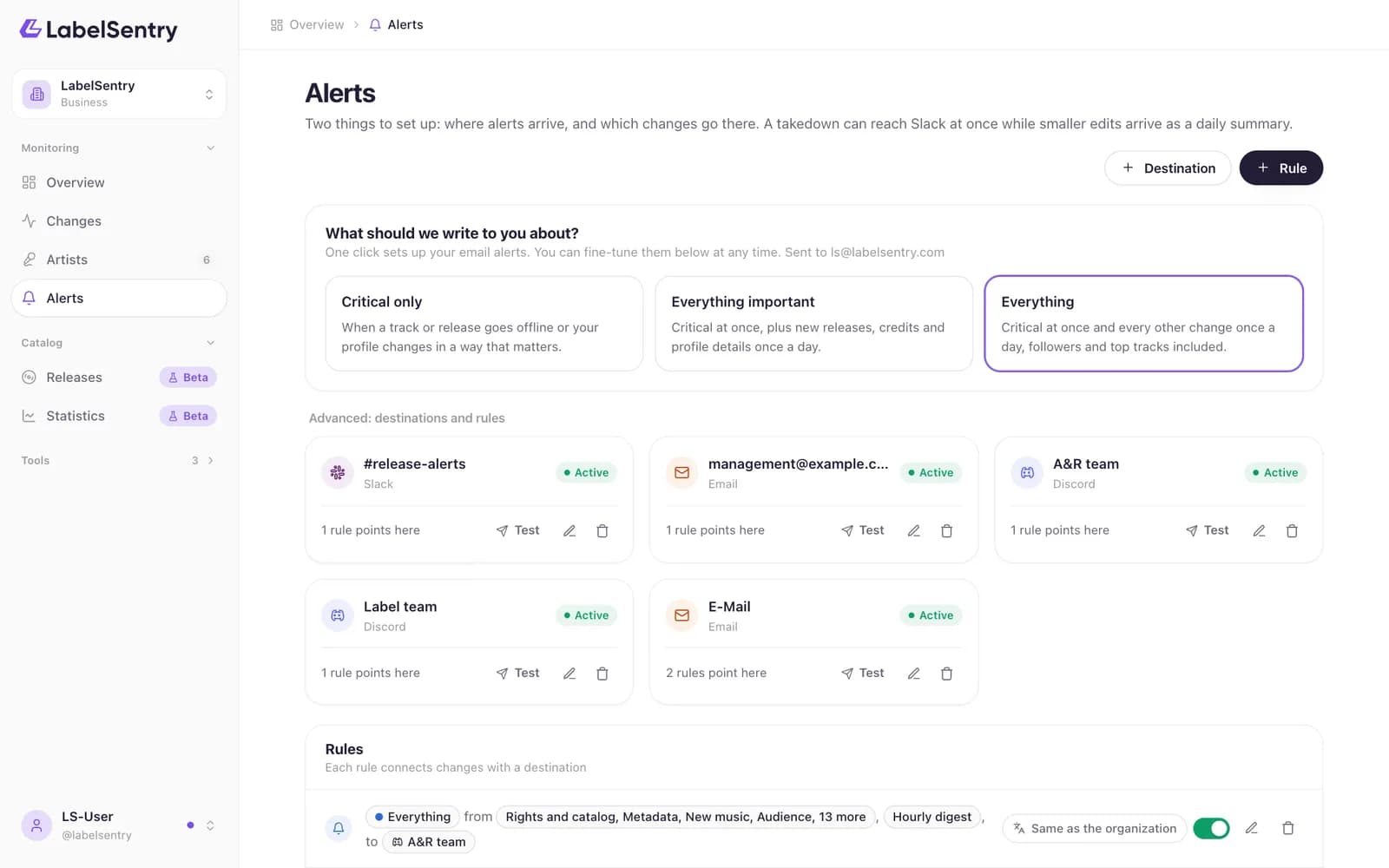
A destination is a place alerts can go. On its own it sends nothing: a rule decides which changes go there.
Kinds of destinations
| Kind | What it does | Plans |
|---|---|---|
| One address. Digests arrive as a single message. | All | |
| Discord | Posts into one Discord channel, optionally pinging a role or a person. | Beginner and up |
| Slack | Posts into one Slack channel. | Beginner and up |
| Custom Webhook | Sends a signed JSON request to your own address. | Business |
| iPhone app | Push messages on your phone, set up from the app itself. | All |
Add one
- Open Alerts and choose Destination.
- Pick the kind and fill in the address, channel webhook or URL. See Discord and Slack for where to find those.
- Choose Test to send a test message. If it does not arrive, the window tells you what the destination answered.
- Add a rule that points at it.
When delivery fails
A failed alert is tried again after 1 minute, 5 minutes, 30 minutes, 2 hours and 6 hours. After 20 failures in a row the destination is switched off and marked Disabled, so a dead channel does not fill your history. Fix the address and switch it on again.
Read next
RulesRules decide which changes go to which destination: from which level, which types and artists, and whether at once or in a digest.Discord and SlackHow to get the webhook address of a Discord or Slack channel and use it as a destination, including pinging a role in Discord.WebhooksOn Business, receive every change as a signed JSON request at your own address. The payload, the signature and retries.
Still stuck? Write to [email protected].